![logo2.png]](https://help.brandwizard.io/hs-fs/hubfs/logo2.png?height=40&name=logo2.png)
In the Name section, you can add the following information:
- Company name. More information about the rules for naming locations in directories can be found here.
- Sent name (except Google). You can read more here.
- Add options of names in other languages. Some directories support multilingualism, meaning they are adapted for different languages. To make it easier for customers from other countries to find your company quickly, you can add adapted company names in different languages.
- Add name options for each catalog. If necessary, you can specify the company name differently for each service.
- Alternative Company Names (how can users search for your company differently? (separated by commas)). You can specify no more than 5 options. You can find out more here.
To specify a name in several languages, you need to click on Add Options in Other Languages.
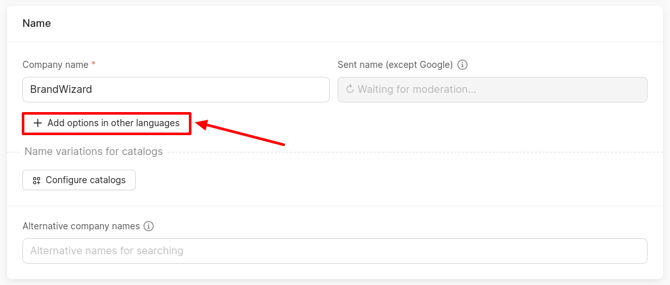
An window for selecting a language will open, where you should choose the desired language and click Apply.
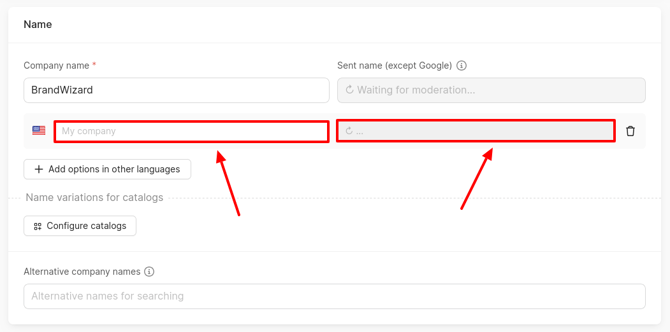
The additional fields Company Name and Sent Name (except Google) will open. Enter the company name in the selected language.
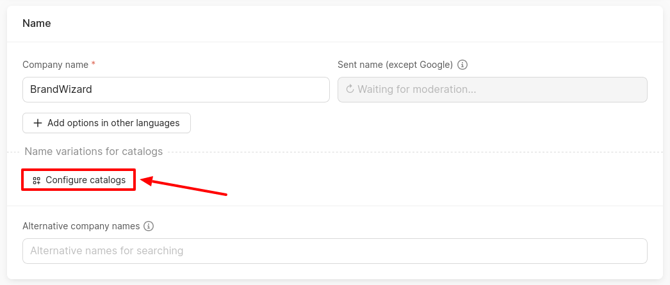
You can specify company names for certain directories. To do this, click on Configure catalogs.
Attention! This field will be available only after filling in the Company Name field.
A window will open where you can select directories and click on Add.
After making your selection, additional fields will appear for each of the chosen directories.
The fields to be filled out are the same as those described above in this article.
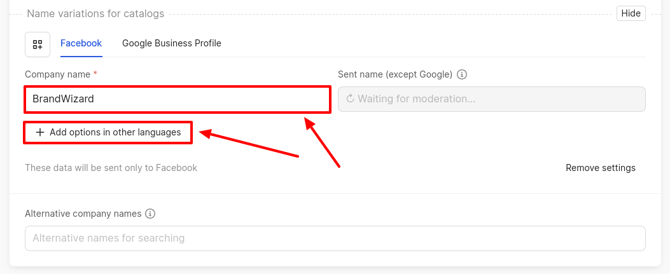
The Google catalog accepts only one company name. Therefore, it will not be possible to add variations in other languages!
For the Yandex catalog, you can specify a short company name (in addition to the main one). It will be displayed next to the pin on the map.
Limitations:
- Maximum length: 55 characters.
- Must be shorter than the full company name.
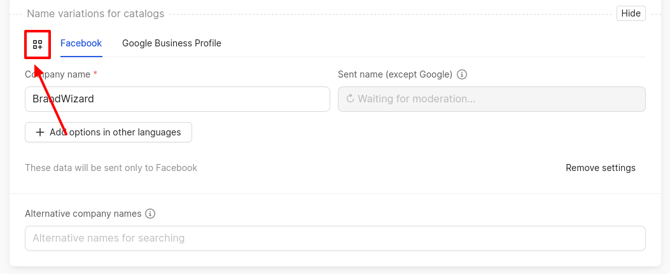
To add another service, you need to click on the icon next to the sources. The Catalog Picker window will open.
If there is no need to add separate information for the source, then click on Remove Settings.
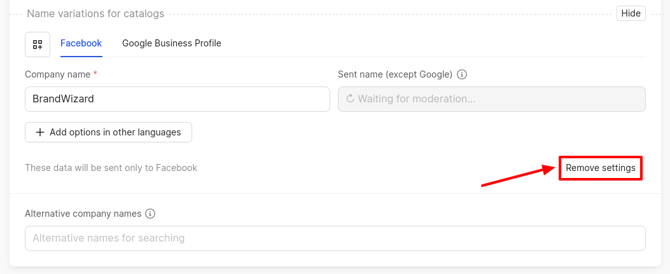
A window will open where you need to click on Confirm.
How to add/edit a brand and a branch code, you can find out further.