![logo2.png]](https://help.brandwizard.io/hs-fs/hubfs/logo2.png?height=40&name=logo2.png)
If you have Reputation Analytics enabled, a WizardGPT button will appear in the Reviews section for AI‑powered review analysis.
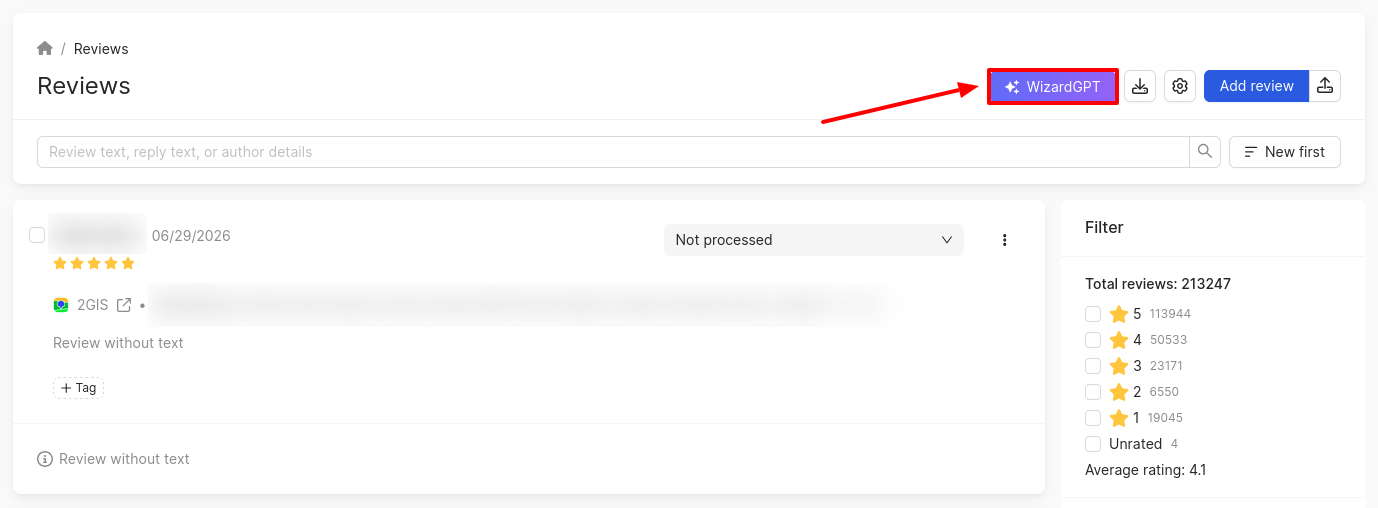
Once clicked, a sidebar will open where you can select one of the predefined analyses or enter your own custom query:
Strategic analysis:
- SWOT analysis based on reviews. Analyzes reviews and identifies: Strengths – what customers highlight as advantages; Weaknesses – reasons for dissatisfaction; Opportunities – ideas for growth that can be derived from reviews; Threats – recurring risks or systemic issues.
- Main reasons for customer dissatisfaction. Analyzes negative reviews and highlights the key reasons for dissatisfaction. Data is grouped by topic and frequency of occurrence.
- What customers like most. Analyzes positive reviews and identifies what specifically customers appreciate. Data is grouped by topic (e.g., service, speed, price, quality) and frequency.
- Suggestions for product or service improvement. Extracts proposals, ideas, and comments from reviews that could help improve the product or service. It also formulates recommendations as a list with brief explanations based on review texts.
Thematic and sentiment analysis:
- Topics of negative reviews. Analyzes only negative reviews, highlighting the main areas of customer complaints. Each topic is briefly described, and the most frequent ones are indicated.
- Topics of positive reviews. Analyzes positive reviews and identifies the main topics for which customers leave positive feedback. The most common ones are also highlighted.
- Emotional tone of reviews. Analyzes reviews and determines which emotions prevail: anger, irritation, gratitude, joy, disappointment, etc. Groups reviews by emotion and provides an example for each group.
- Insights about employees (if mentioned). Analyzes reviews and finds mentions of specific employees (by name or role). For each mentioned employee, it briefly describes the context: positive, negative, or neutral feedback. It highlights recurring praise or criticism and provides short examples where possible.
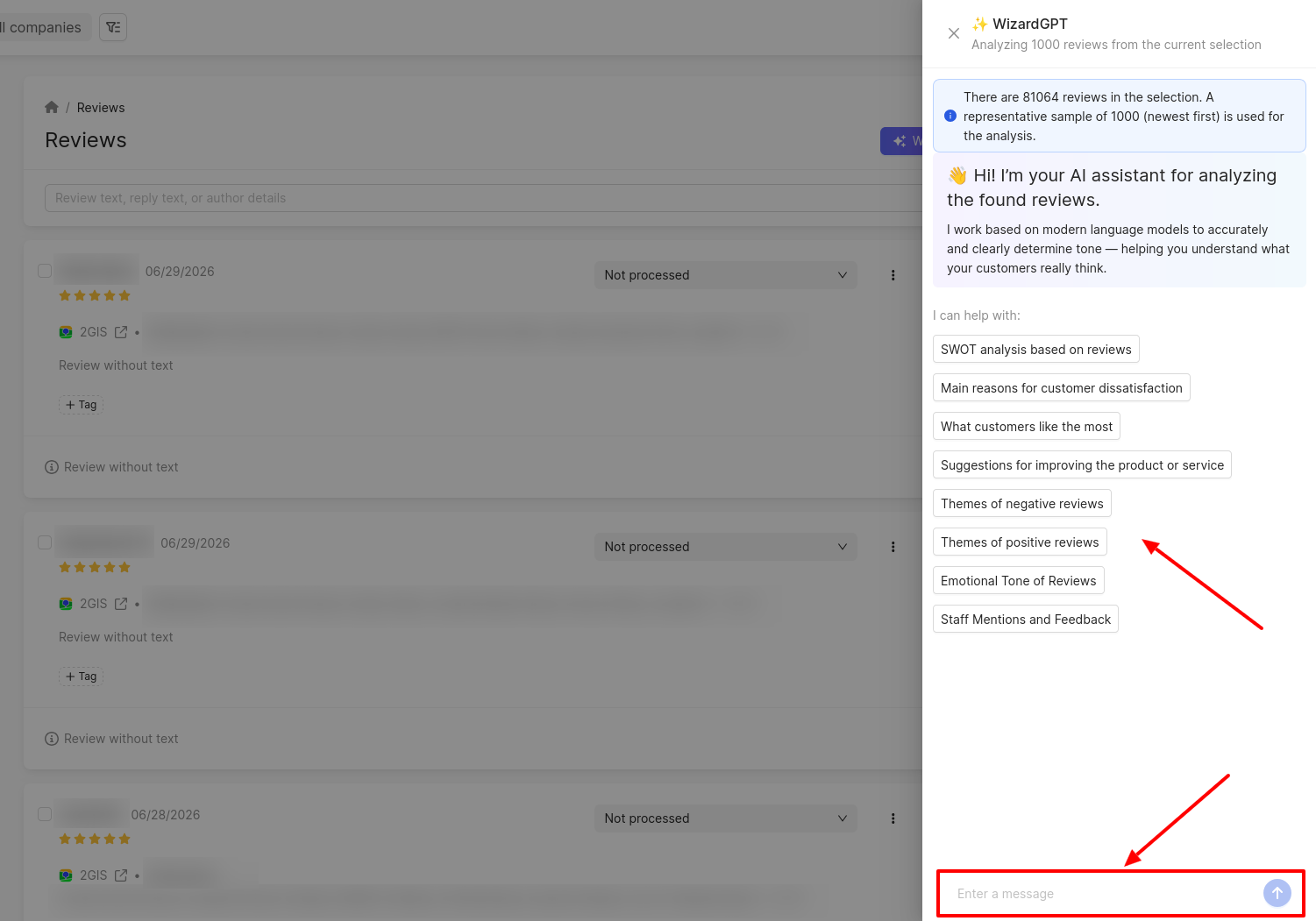
You can also analyse reviews according to your specific criteria:
- Analyse reviews by a specific aspect.
You can filter and analyse reviews by selected auto‑tags or aspects. Simply choose the desired auto‑tag, and the system will show all reviews mentioning that aspect for detailed analysis.
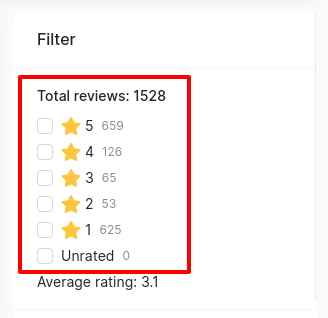
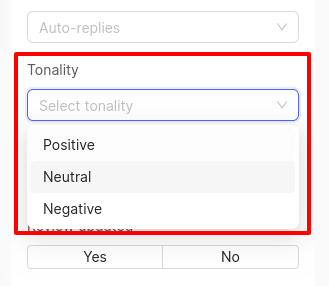
- Analyse reviews with sentiment and rating filters.
You can filter reviews by sentiment and rating. For example, analyse positive reviews to identify key advantages and strengths of the product, or study negative reviews to understand the main reasons for dissatisfaction and identify problem areas.
 |
 |
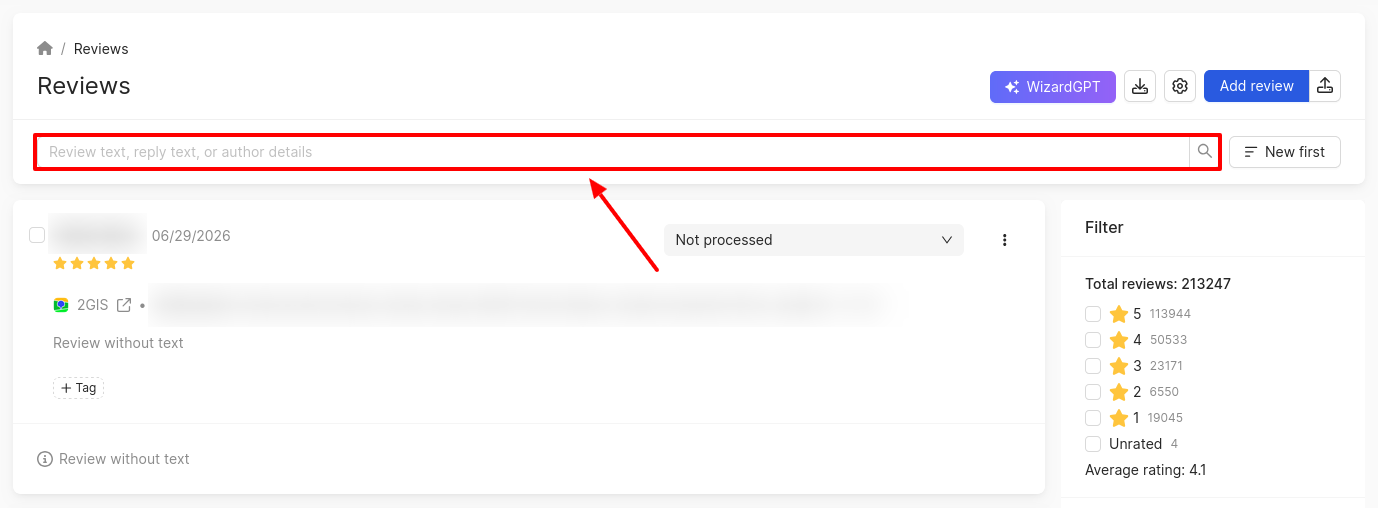
- Analyse reviews by keyword.
Use the search box to select reviews containing specific keywords or phrases, and then analyse them with WizardGPT.
- Analyse reviews by a specific source.
This is especially useful for industries where reviews from specialised platforms matter (e.g., medicine and banking). On such sources, users leave more detailed and substantive reviews, which improves the quality of the analysis.