![logo2.png]](https://help.brandwizard.io/hs-fs/hubfs/logo2.png?height=40&name=logo2.png)
You can add contact attributes. You can learn what an attribute is and how to create one here.
To add an attribute in the conversation sidebar, click on the Contact Attributes section.
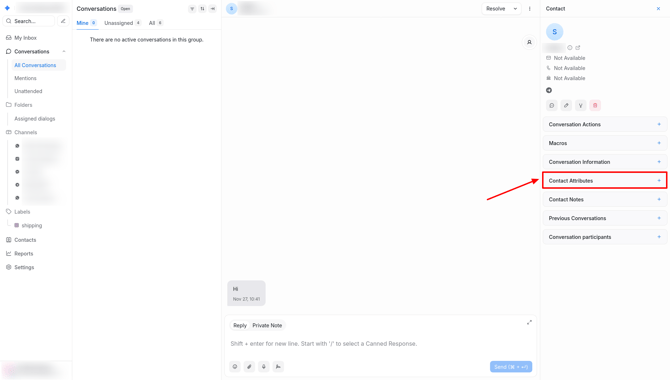
Select the desired attribute and click the Edit Attribute button (pencil icon).
Fill in the attribute according to its type (list, checkbox, text, etc.).
To edit, delete, or copy an attribute, hover over the attribute and select the appropriate button.